ATAC pipeline tutorial
The scATAC-seq pipeline mirrors the RNA pipeline but switches preprocessing and clustering to TF-IDF normalization and LSI dimension reduction. It ends at the same single sample embedding (uns['X_DR_sample']); everything downstream of that is shared with RNA and lives in the Downstream analysis tutorials. Parameter values follow the canonical config (atac_* block).
Config-driven alternative
These steps call each function directly. To run the whole ATAC branch from a single YAML instead, enable run_atac_pipeline in your config and run sampledisco -m complex --config config.yaml — see the Configuration guide.
Inputs
ATAC.h5ad— cell × peak counts;.obsmust carry asamplecolumn.- (optional)
sample_meta.csv— per-sample metadata including any phenotype of interest (e.g.sev.level). Not needed when that column is already in.obs.
Demo data
This tutorial runs on test_ATAC.h5ad from the demo dataset. Download it into a local data/ folder and the snippets below work as-is — its .obs already carries sample and sev.level, so sample_meta_path can stay None.
Output lands under output_dir/atac/.
1. Preprocessing
TF-IDF normalization, LSI projection, optional doublet removal, and a two-pass Harmony integration. ATAC typically uses a moderate feature count (10,000) and 30 LSI components.
Runtime on a CPU / laptop
ATAC preprocessing operates on the full ~230k-peak matrix and is the slowest single step of the demo, but it's not slow in absolute terms: on a modern laptop (e.g. an Apple M3) it's a few minutes (~3–5 min); it can be longer on older or heavily loaded machines. On any Apple Silicon Mac, SampleDisco always runs on CPU (GPU acceleration is Linux + NVIDIA only).
from sampledisco.preparation.atac_preprocess_cpu import preprocess  # ATAC version
# GPU: from sampledisco.preparation.atac_preprocess_gpu import preprocess_gpu

adata = preprocess(
    h5ad_path="data/test_ATAC.h5ad",
    sample_meta_path=None,        # demo metadata already lives in .obs
    output_dir="sampledisco_demo_output/atac",
    sample_column="sample",
    cell_embedding_num_PCs=30,
    num_cell_hvfs=10000,
    min_cells=10,
    min_features=200,
    max_features=50000,
    tfidf_scale_factor=1e4,
    log_transform=True,
    drop_first_lsi=True,
    doublet_detection=False,
    num_harmony_iterations=20,
    verbose=True,
)
A single file is written carrying both cell embeddings — obsm['Z_comp'] (sample-removed) and obsm['Z_rmd'] (sample-preserved) — and the function returns the AnnData.
Writes → sampledisco_demo_output/atac/preprocess/adata_preprocessed.h5ad.
2. Cell-type clustering
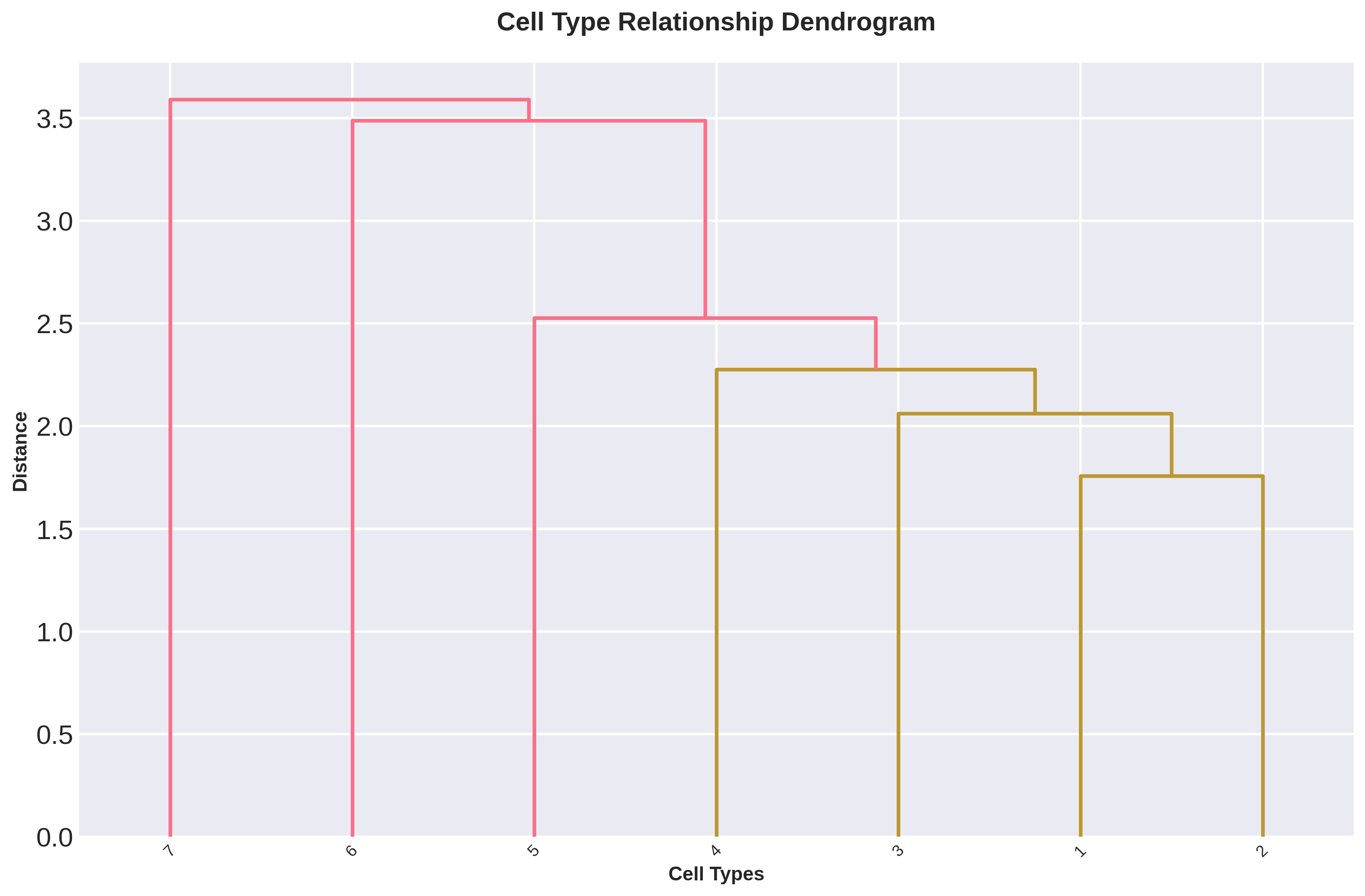
cell_types_atac clusters on the ATAC DR embedding (use_rep='Z_comp') and builds a dendrogram / diff-peaks view of the resulting types.
from sampledisco.preparation.ATAC_cell_type import cell_types_atac
# GPU: from sampledisco.preparation.ATAC_cell_type_gpu import cell_types_atac_gpu

adata = cell_types_atac(
    adata,
    cell_column="cell_type",
    existing_cell_types=False,
    n_target_clusters=None,
    cluster_resolution=0.8,
    use_rep="Z_comp",
    umap=False,
    Save=True,
    output_dir="sampledisco_demo_output/atac",
)
Writes → updated h5ad file; returns the labeled cell-level AnnData.
A hierarchical view of the resulting cell types helps sanity-check the granularity:
3. Sample embedding
The unified compute_sample_embedding handles RNA, ATAC, and multi-omics — there is no ATAC-specific flag. It combines multi-resolution composition blocks (computed on Z_comp) with an RMD displacement block (on Z_rmd), then PCA-reduces and Harmony-corrects at the sample level.
from sampledisco.sample_embedding import compute_sample_embedding

adata = compute_sample_embedding(
    adata,
    output_dir="sampledisco_demo_output/atac",
    sample_col="sample",
    celltype_col="cell_type",
    comp_emb_key="Z_comp",
    rmd_emb_key=None,        # defaults to Z_rmd
    batch_col=None,
    use_gpu=False,           # CPU default; set True for RAPIDS on Linux+NVIDIA (auto-falls back to CPU)
    save=True,
)
Writes the single sample embedding into adata.uns['X_DR_sample'] (a pandas.DataFrame, units × PCs) and returns the modified AnnData.
Everything after sample embedding (sample distance, trajectory, DGE, clustering, RAISIN, visualization, optional parameter autotune) is a downstream task and is documented under Downstream analysis.